

Invoisary
Plan budgets, control spend, spot deviations early.
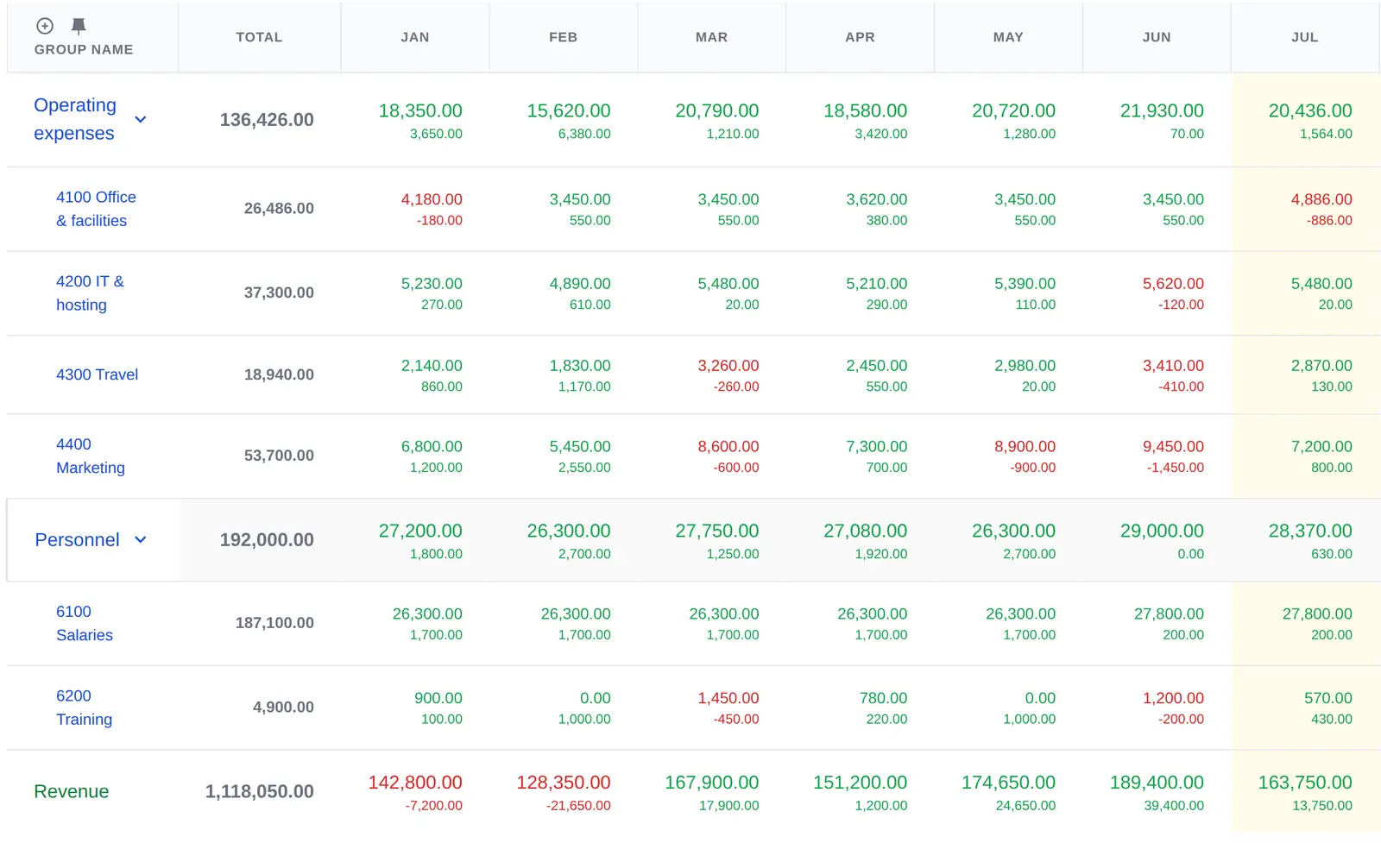
For small and mid-sized businesses that want active cost control. Plan annual budgets by cost center or project and track current spending directly against the plan.
No credit card · Free plan forever · Sign in with Google, Apple, or LinkedIn
How it works
From receipt to deviation – in three steps.

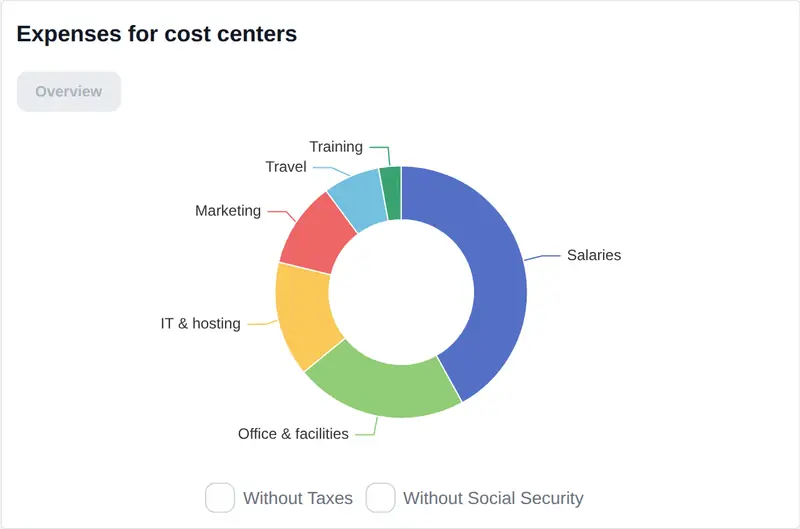
Receipt goes in
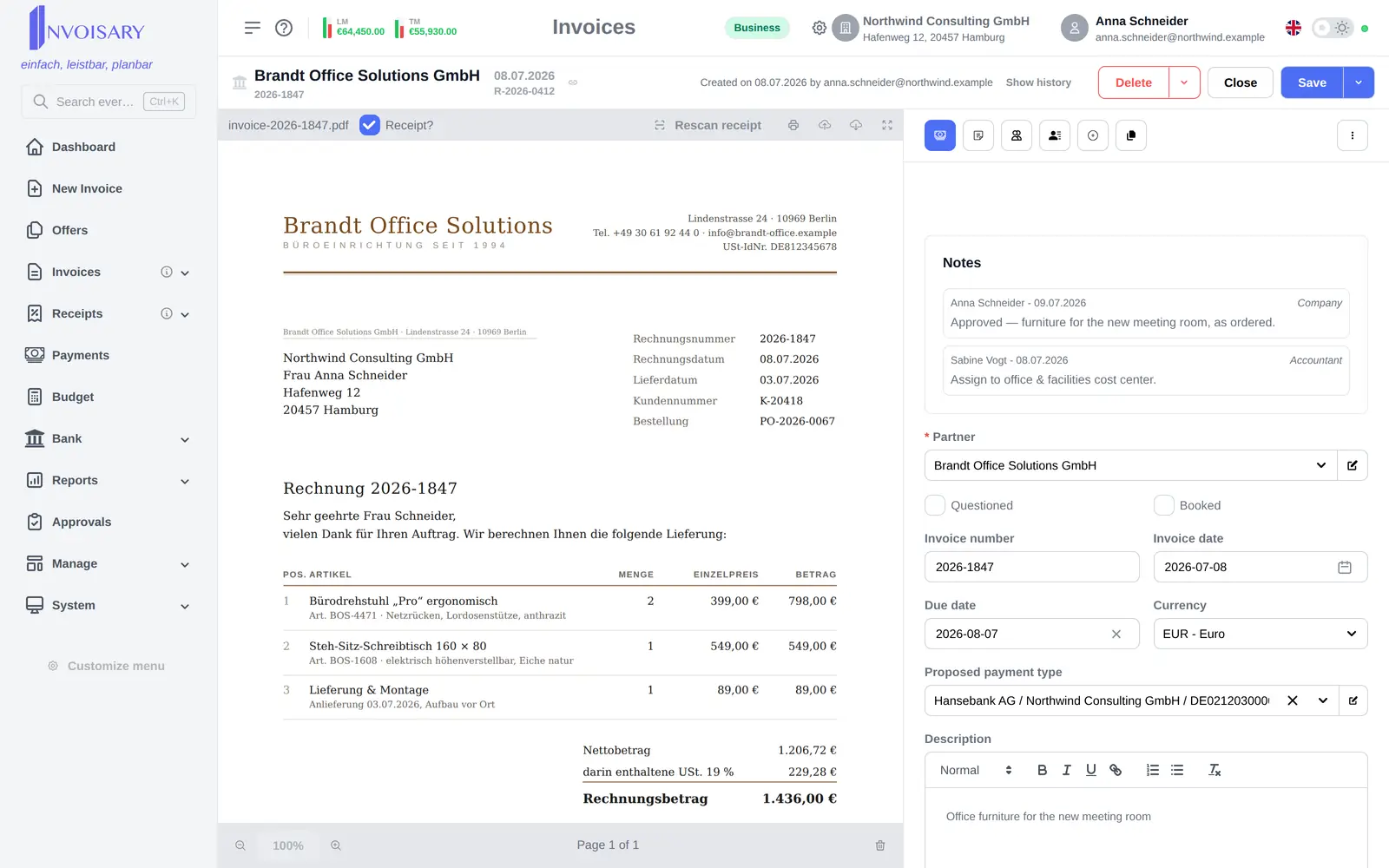
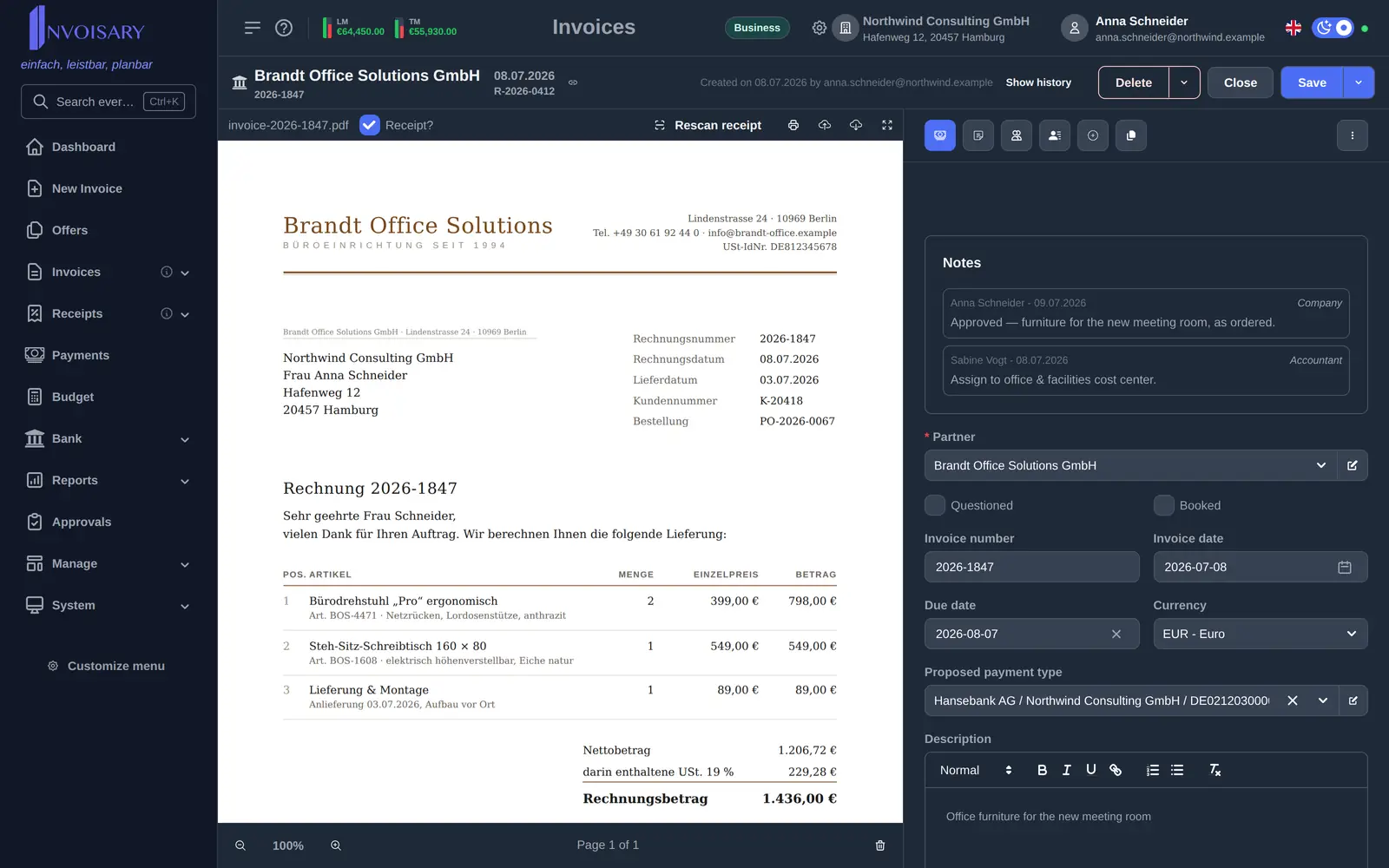
Upload it, forward it by email, or import a whole batch: e-invoices are read from their structured data, PDFs and photos by AI detection. Partner, amounts, and date land in the form, and a cost center is suggested.
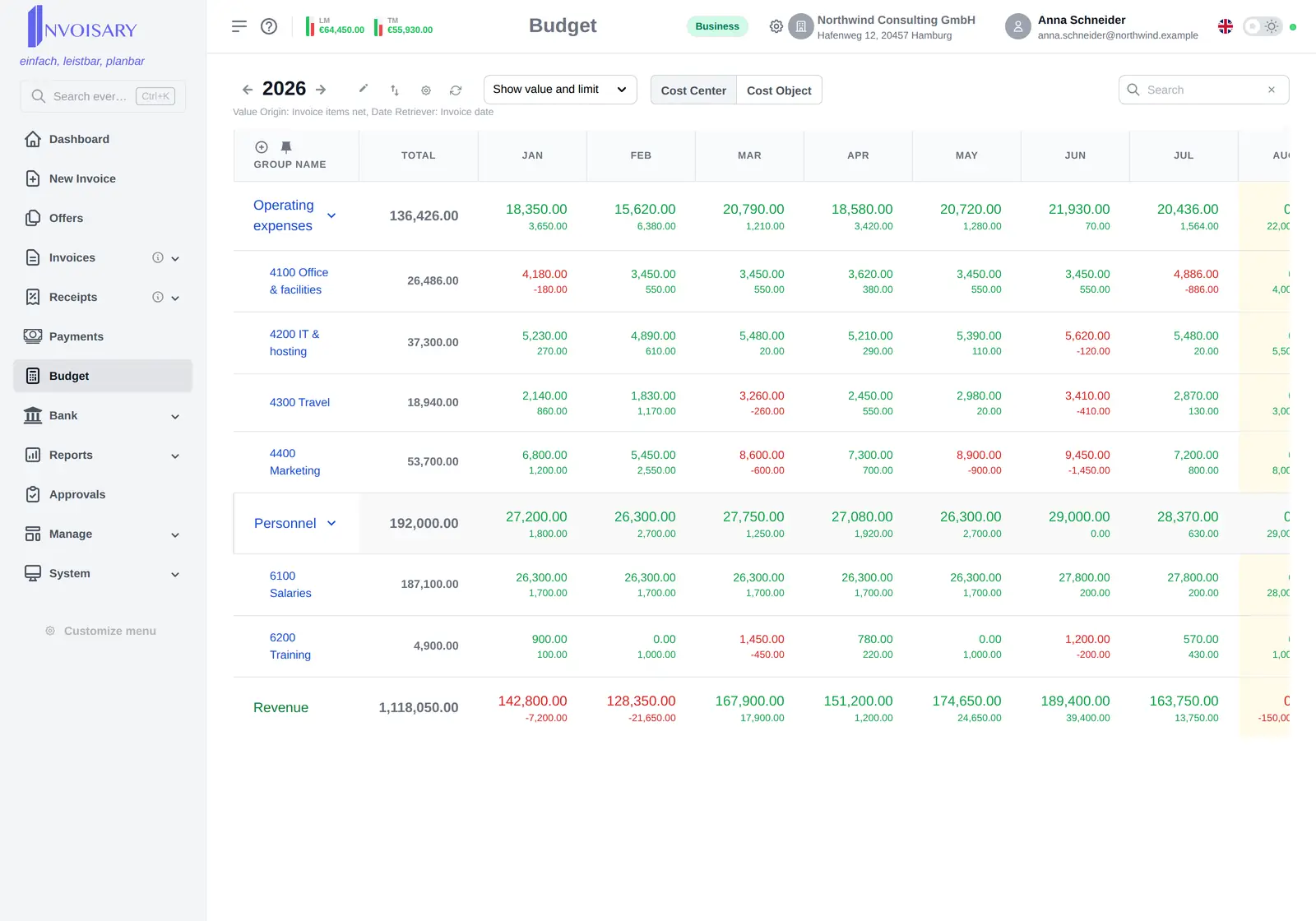
Plan versus actual updates
The expense immediately counts against the budget of its cost center or project – no double entry, no spreadsheet detour.
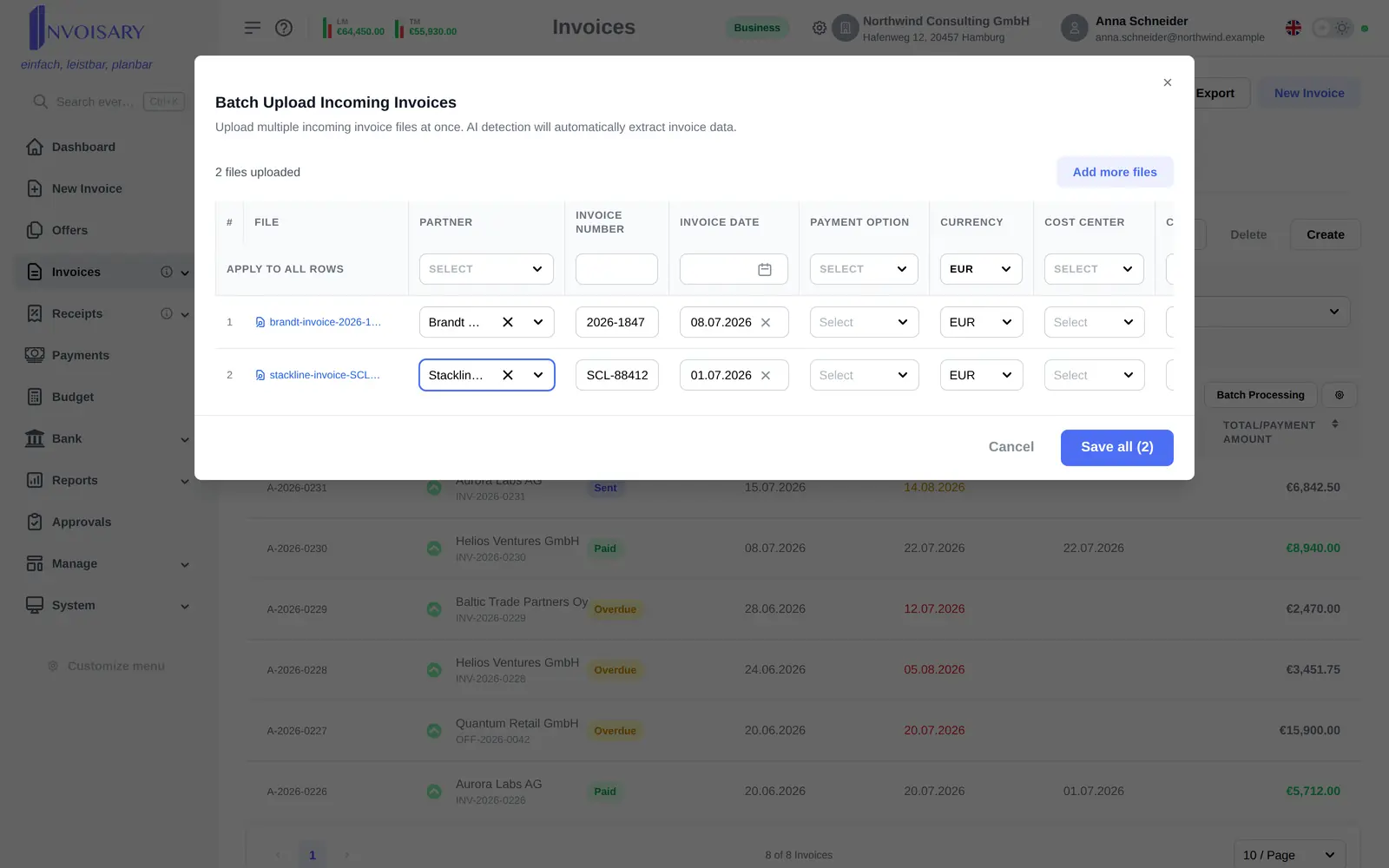
The deviation becomes visible
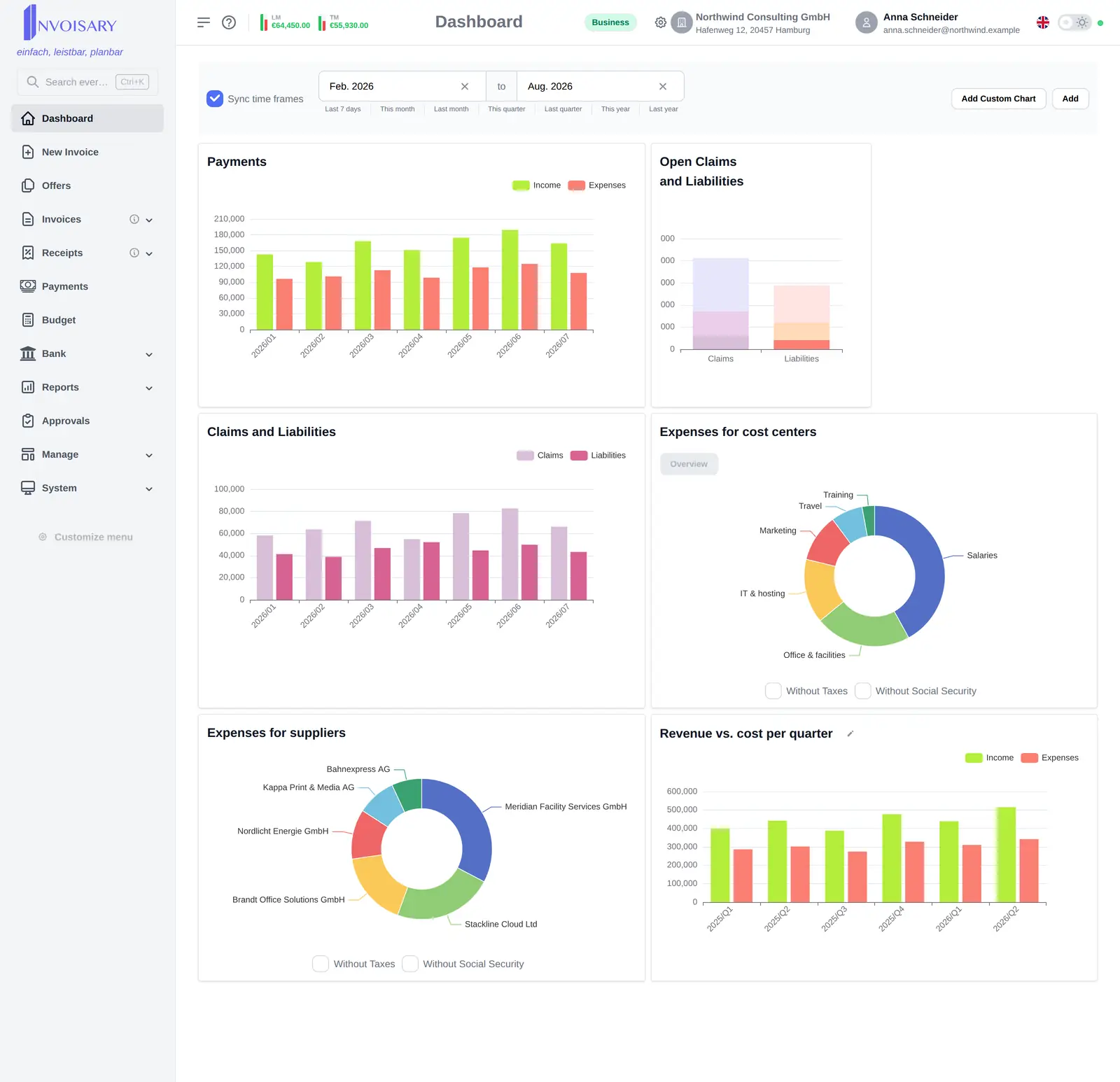
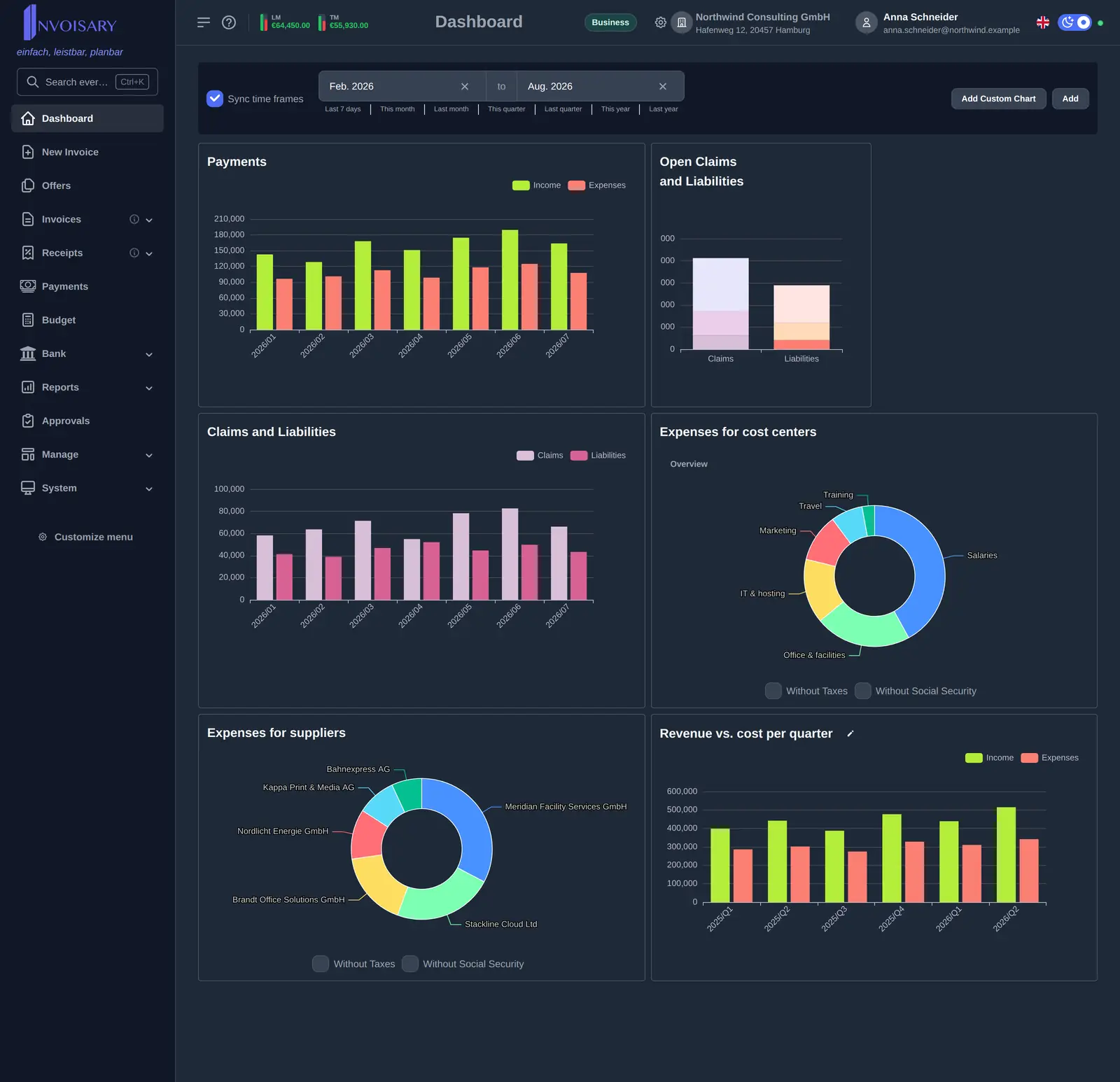
The plan-versus-actual comparison shows where you stand at all times: exceeded limits are flagged and highlighted on the dashboard.
E-invoicing
E-invoices arrive – and are readable right away.
An e-invoice is a structured data record, not a picture of an invoice. Invoisary picks it up on upload and in the capture mailbox and takes the invoice data straight from the record – no retyping, no second tool next to it.
- Structured e-invoices (ZUGFeRD-style) are read automatically
- By upload, batch import, or forwarded to your capture address
- Detected data lands on cost centers, budgets, and approvals
- The original file stays with the receipt and joins the accountant export
Budget workflow
Budget control for small businesses - with expenses, receipts, and invoices tied directly to the plan.
Budget and planning
Plan annual budgets and see plan-versus-actual variances early.
Learn more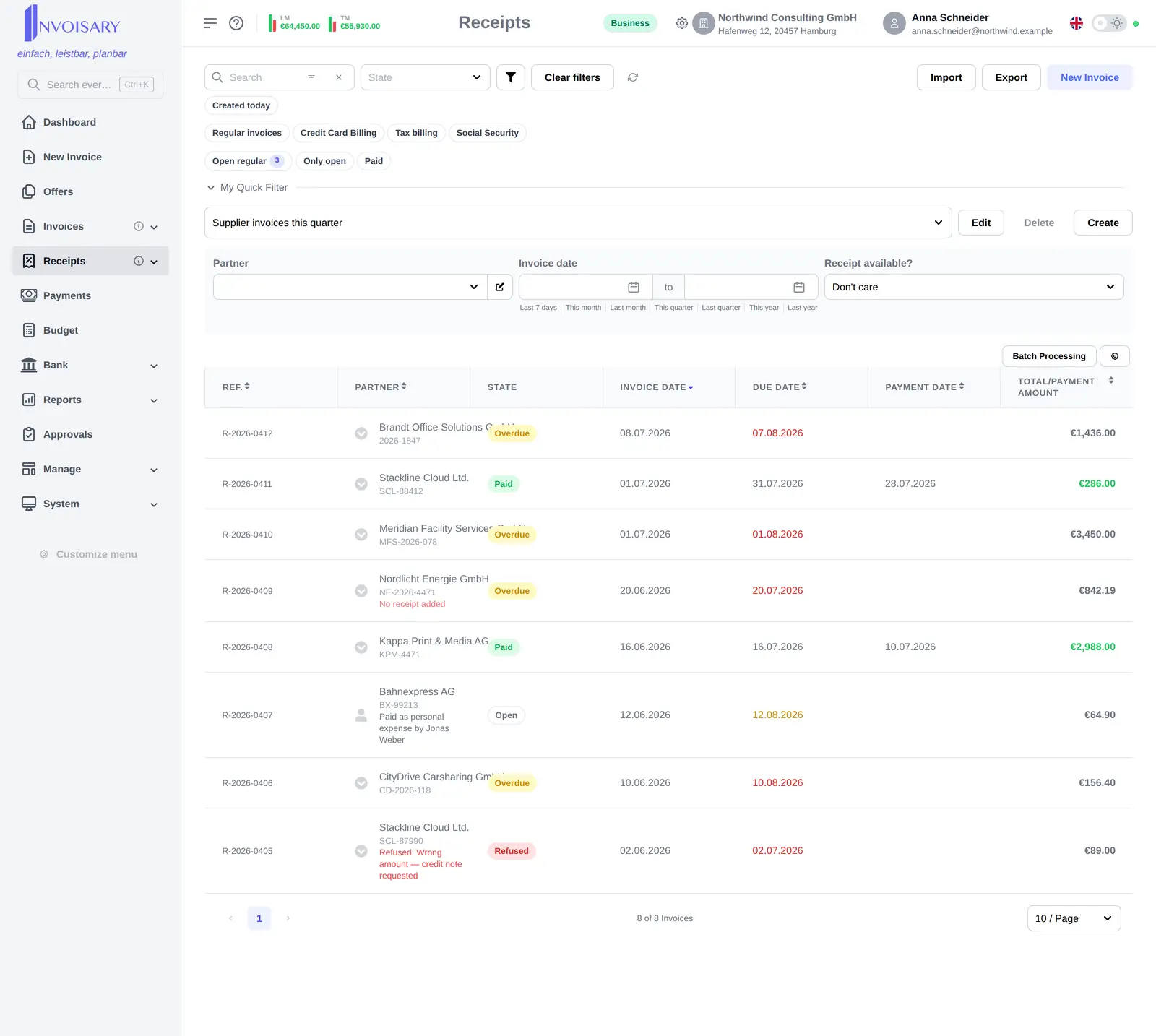
Manage expenses
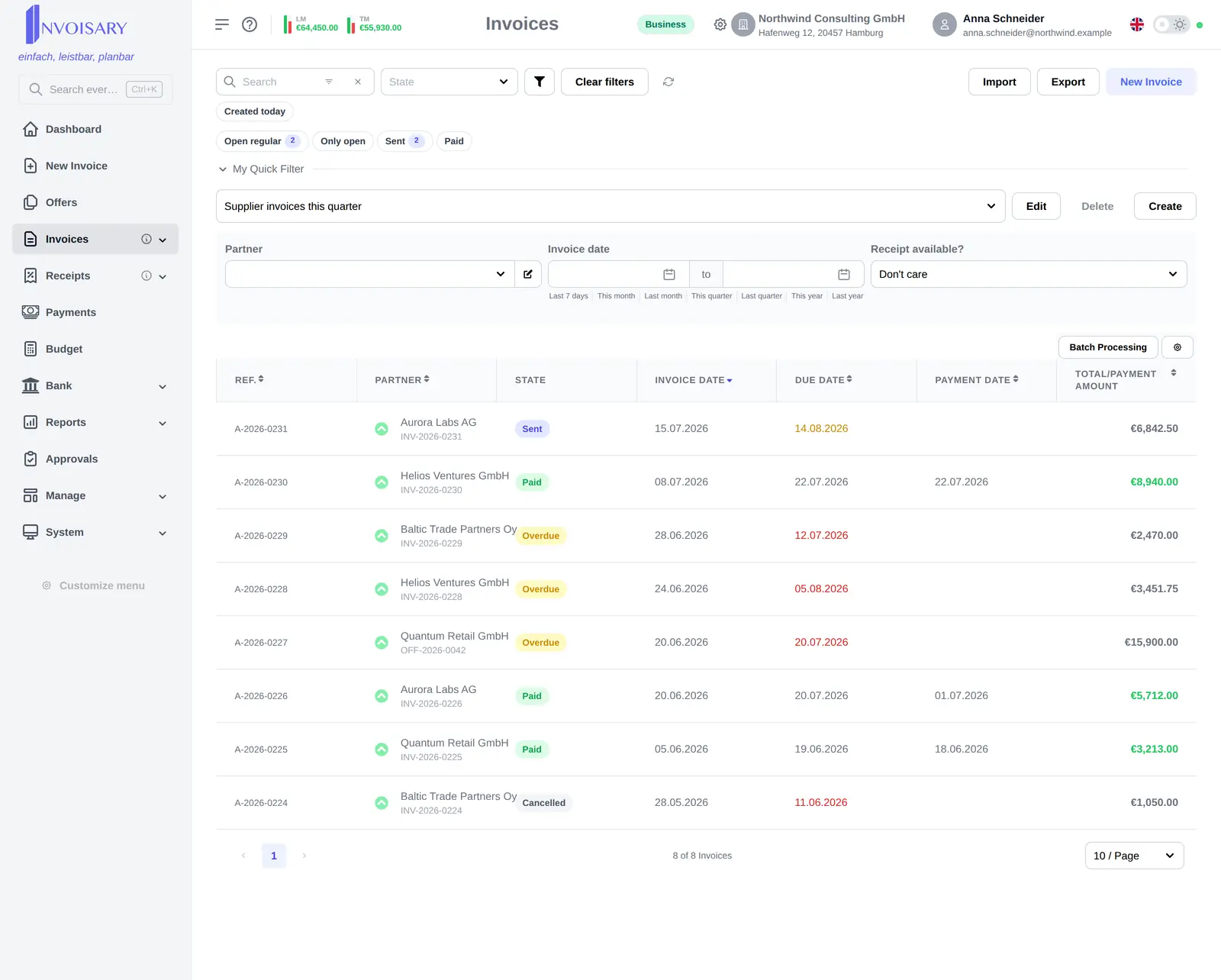
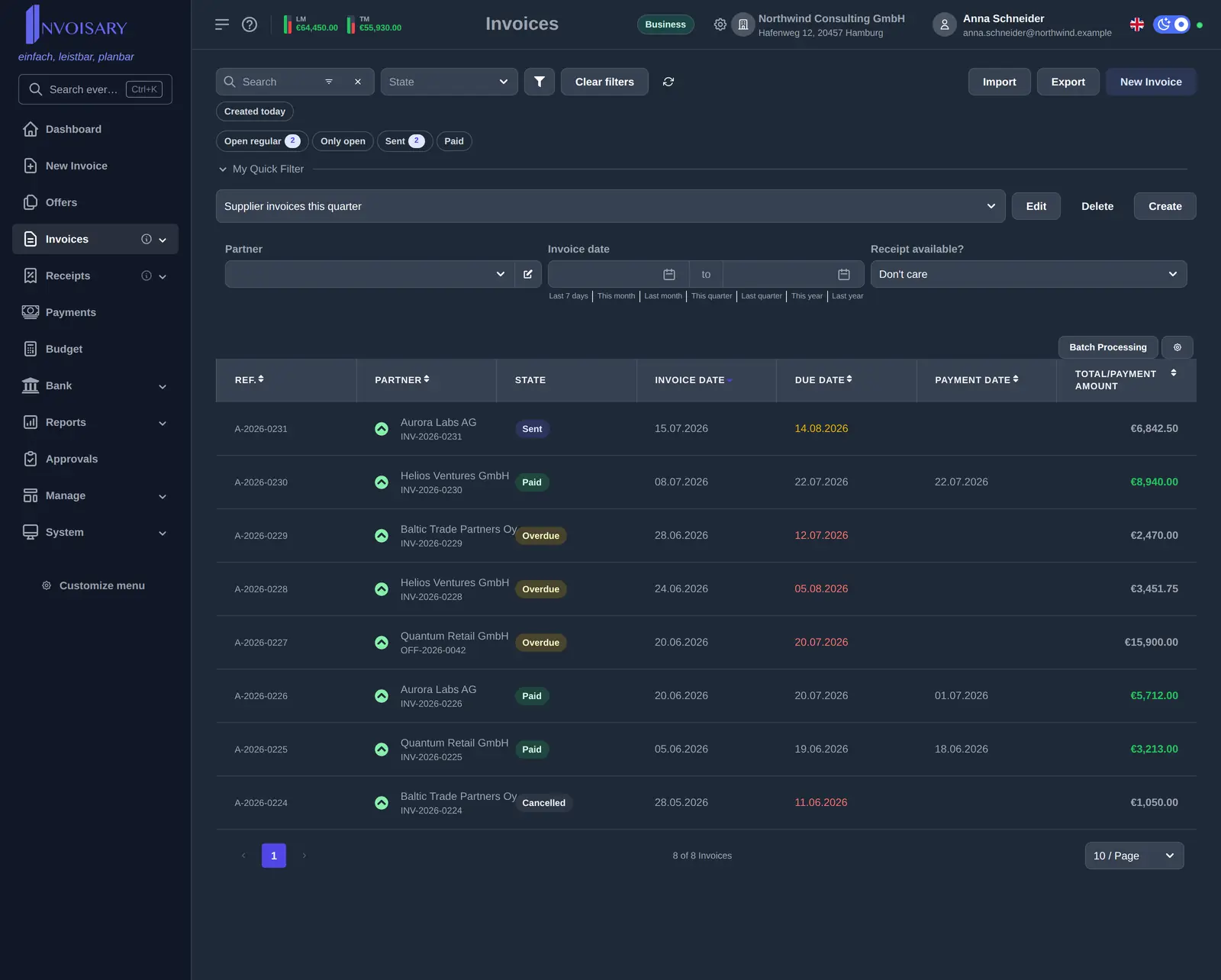
Capture receipts, categorize expenses and keep the payment status in view.
Learn more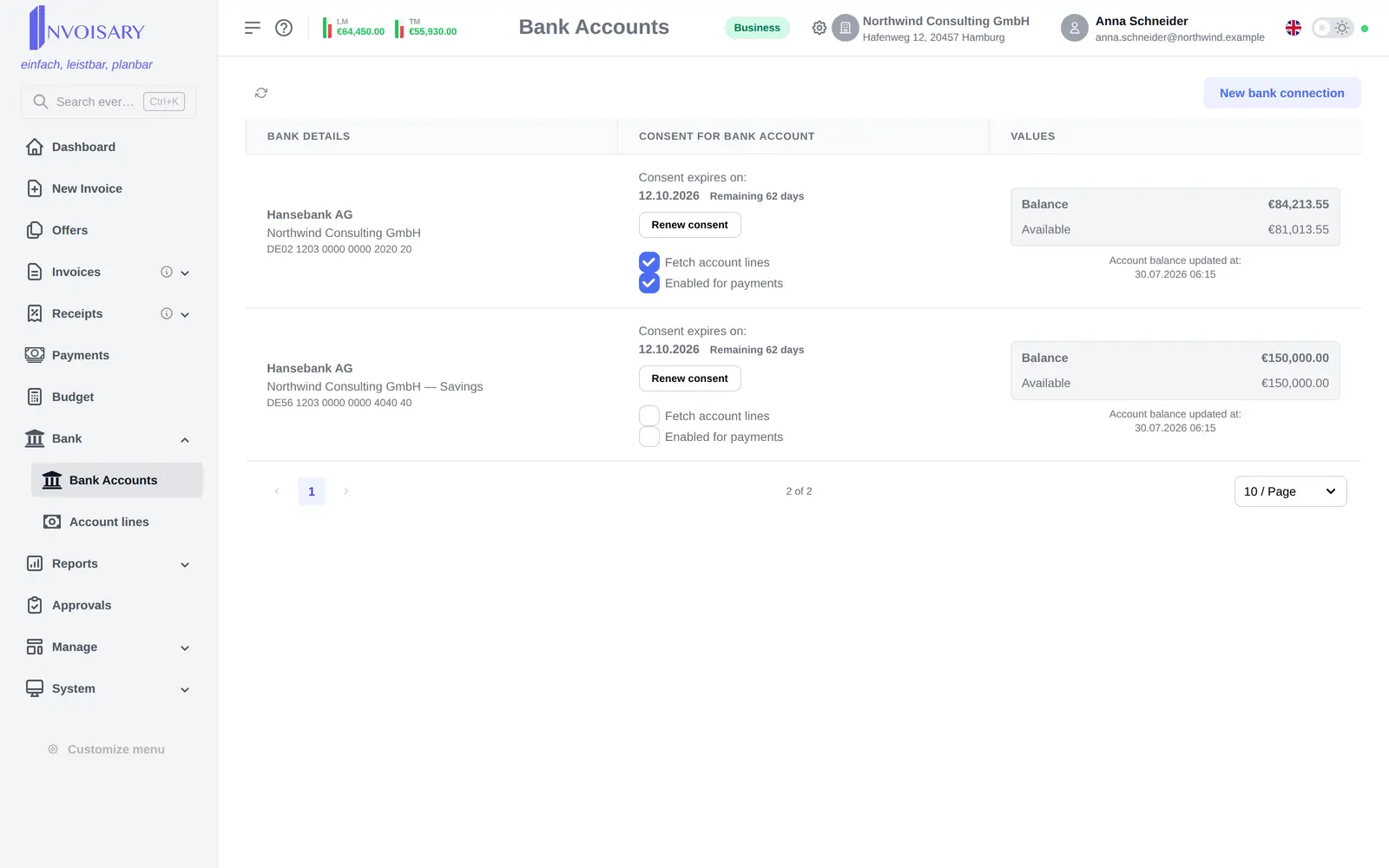
Bank connectivity*
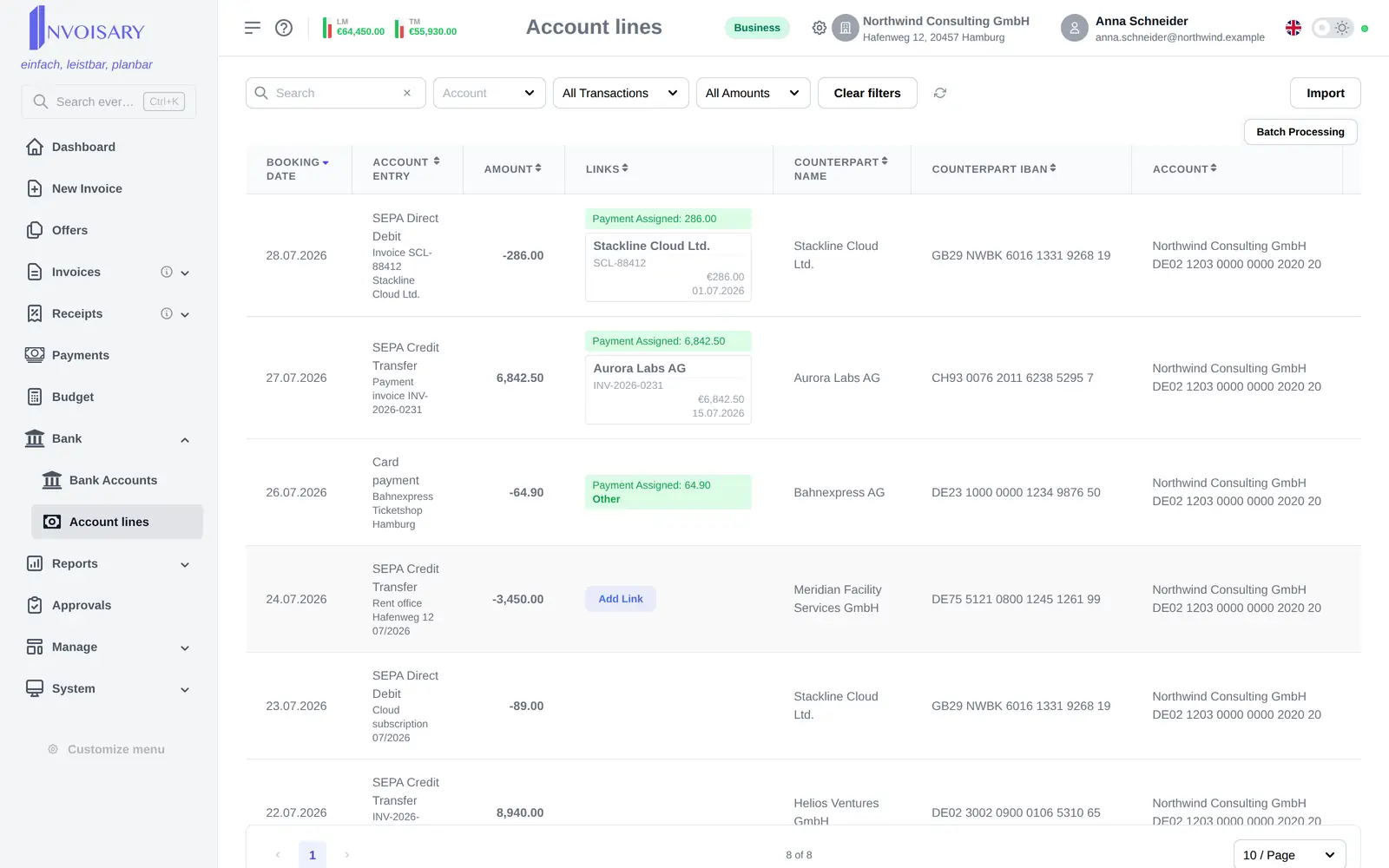
Connect accounts and import balances and transactions automatically.
Learn moreAI receipt scanning
Upload receipts, let the data fill itself in and save the whole batch at once.
Learn more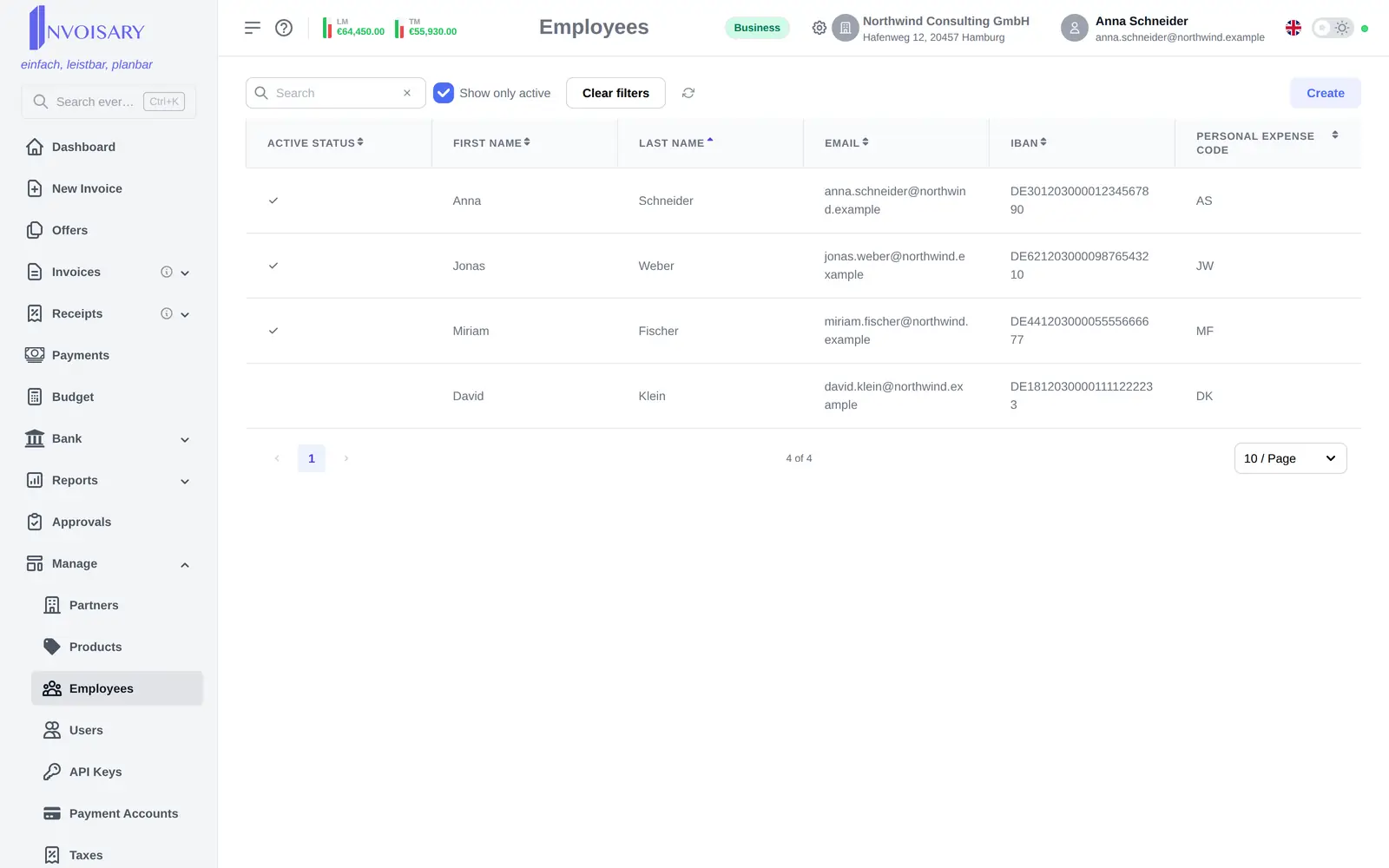
Team and roles
Fine-grained permissions, from employee records to the visibility of single accounts.
Learn more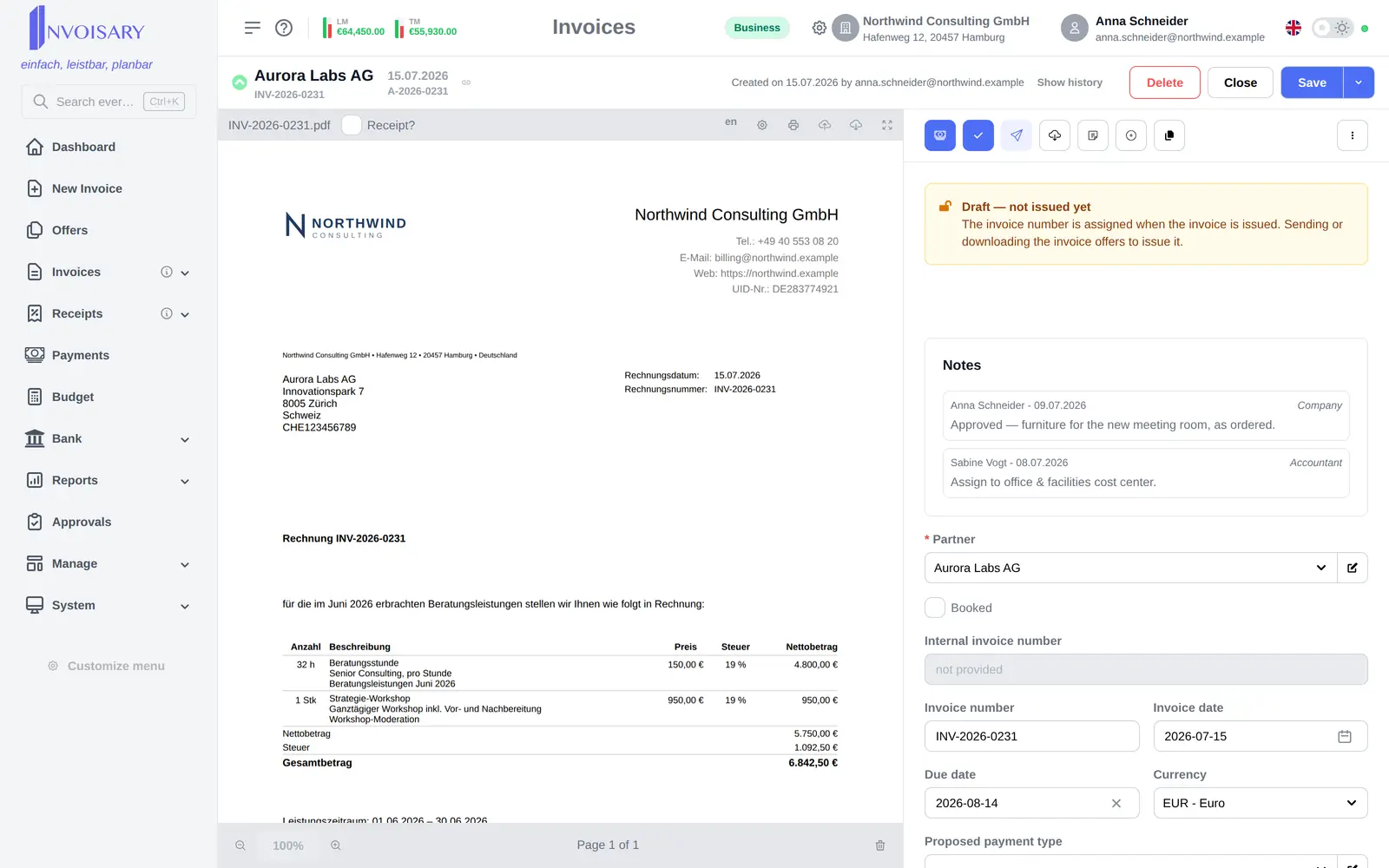
Create invoices
Professional invoices and offers with PDF rendering, your logo and automatic numbering.
Learn more* Available on request.
See all featuresAccounting & tax advisor
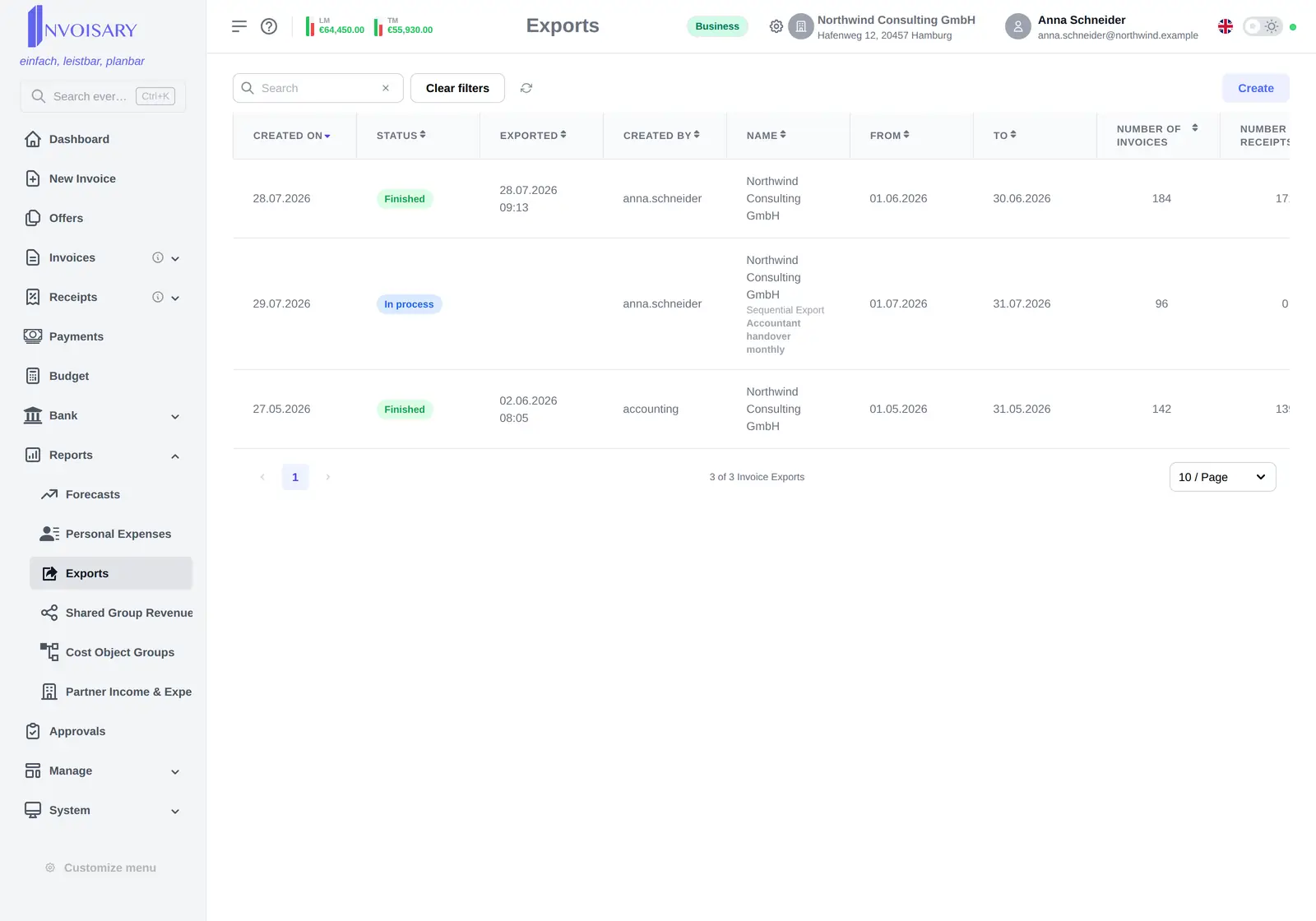
Your accountant gets everything. In one click.
Bundle a period's documents into one export package: the invoice list as CSV, Excel, or PDF, with the original receipts as an archive. Handing over to accounting stays a matter of minutes.
- Invoice list as CSV, Excel, or PDF
- Original receipts included as an archive
- Sequential exports remember what was already handed over
- Pre-export analysis flags missing receipts
Pricing
Simple, transparent pricing
Every account starts on the free plan – no credit card, no plan decision. You move to Pro or Business only once you exceed the free limits.
- 1
Start on the free plan
Sign up and get going: 100 documents per year and 10 cost centers, free forever. No credit card, no expiry date.
- 2
Always see your usage
The subscription page in the app shows how many of your yearly documents and cost centers you have used. As a limit gets close, the app tells you.
- 3
Switch only when you exceed them
The limits apply only when creating new documents and cost centers – existing data stays fully usable. When free is no longer enough, you upgrade to Pro or Business inside the app. Cancel later and your account runs on the free plan again.
Free forever
Where every account starts
€ 0
Free forever
- 100 Documents / year
- 10 Cost centers
Stay below these limits and it stays that way: no expiry date, no payment details, no switch needed.
Pro
Less with yearly billing
€ 16
per month · plus VAT
€ 190 plus VAT, billed annually
€ 19 plus VAT when billed monthly
- 2,500 Documents / year
- 50 Cost centers
You sign up on the free plan and only move here inside the app once you exceed the free limits – same account, same data.
Business
Less with yearly billing
€ 66
per month · plus VAT
€ 790 plus VAT, billed annually
€ 79 plus VAT when billed monthly
- 25,000 Documents / year
- Unlimited Cost centers
You sign up on the free plan and only move here inside the app once you exceed the free limits – same account, same data.
All prices in euro, net of statutory VAT. Invoisary is offered exclusively to businesses (entrepreneurs within the meaning of § 1 of the Austrian Commercial Code), not to consumers.
About Invoisary
Behind Invoisary is a person, not a corporation.
"I build Invoisary because small businesses deserve the same grip on their numbers as large ones – without enterprise software, without spreadsheet chaos, and without bookkeeping becoming a second job."
Klaus Pfeiffer
Founder and developer
Software developer from Wördern near Vienna. Invoisary is built in Austria – I answer support requests myself.
FAQ
Frequently asked questions
Do I have to pick a plan when I sign up?
No. Every account starts on the free plan automatically – no credit card, no choice to make. A paid plan is only needed once you exceed the free limits: 100 documents per year or 10 cost centers. The subscription page in the app shows your usage, and the app tells you as a limit gets close. The limits apply only when creating new documents and cost centers; existing data stays fully usable.
Does my subscription renew automatically?
Yes. Pro and Business run monthly or yearly and renew automatically for the chosen term. You can cancel any time effective at the end of the current billing period – after that your account continues on the free plan.
How do I cancel?
Directly in the app on the subscription page via the Stripe customer portal – no phone call, no email. The cancellation takes effect at the end of the period you already paid for.
What happens to my data after I cancel?
Nothing is lost. After cancelling a paid plan your account switches to the free plan: existing data stays fully usable, and only new documents and cost centers are subject to the free limits. You can export at any time – as CSV, Excel, or PDF including the receipts archive. If you close your account entirely, the DPA guarantees your data stays exportable for another 30 days; after that it is deleted, backup copies within 90 days at the latest.
What does my accountant get?
An export package for any period you choose: the invoice list as CSV, Excel, or PDF, and the original receipts as an archive. Sequential exports remember what was already handed over – nothing goes out twice, nothing gets lost.
Can Invoisary process e-invoices?
Yes. Structured e-invoices (ZUGFeRD-style) are read automatically on upload, in a batch import, and when forwarded to your capture address: the invoice data comes from the structured record instead of from text recognition. The original file stays attached to the receipt and goes along with the export to accounting. Outgoing invoices are produced as PDFs – with a design theme, your logo, and a payment QR code.
Do I need a credit card to start?
No. The free plan is free forever and requires no payment details. You only pay once you actively choose Pro or Business. You can sign up with email or with Google, Apple, or LinkedIn.
Where is my data stored?
In the EU: the production environment including databases and backups runs on AWS in Frankfurt, with off-site backups at Hetzner in Germany. A data processing agreement under Art. 28 GDPR and the list of subprocessors used are available online.
Trust
Security & data protection
Invoisary is built in Austria and hosted in the EU. The DPA and the subprocessor list are publicly available – no request needed.
Data processing under Art. 28 GDPR
Personal data is processed on your behalf in line with the GDPR. The DPA is available online and becomes part of the contract automatically – a signed copy is available on request.
View the DPAHosted in the EU
The production environment, databases, and backups run on AWS in Frankfurt, with off-site backups at Hetzner in Germany. The subprocessor list shows openly which providers are involved.
View subprocessorsYour data stays exportable
Documents, lists, and budgets can be exported as CSV, Excel, or PDF at any time. After the contract ends, the DPA guarantees a 30-day export window.
Details in the DPAMade in Austria
A one-person company from Wördern near Vienna: built and run by Klaus Pfeiffer – short paths and direct contact instead of a ticket queue.
ImprintNo credit card · Free plan forever · Sign in with Google, Apple, or LinkedIn